1 Tracked
1 Follower

mohs225
Uye

Dec 24, 2023

18 Mesaj

31 Reaction

0 Solution

13

First Message

No reward!

No reward!

No reward!

No reward!
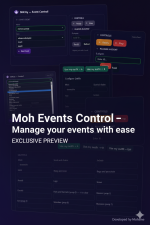
Host fast arena events with one click. Moh-Event adds an admin panel to start/stop events, teleport/join players, auto-equip gear, and run fair fights with optional, auto-applied outfits. Built for QBCore with a clean NUI (HTML/CSS/JS) and low config overhead
Link hidden for visitors. To see,
Log in or register now.
✅ Key Features
- Admin-only control — access is locked to specific Rockstar licenses (whitelist).
- One-click start/stop — announce the event globally and pick a mode + reward item
- Multiple arena modes with preset spawn points (normal spawn + 8 maps).
- Fair Fights — on “Ready”, give everyone the configured weapon and ammo automatically.
- Outfit system — choose Outfit A/B (alternating) and a dedicated Girl outfit; apply automatically per joiner
- Join cooldown & ban — prevent spam joins, ban disruptive players from the current event.
- Player list & quick actions — see join count, refresh, and ban by ID from the panel.
- Clean NUI — responsive panel with animated styling; ships with logo and assets.
🧩 What’s Included
- Client logic (teleport, outfit apply, ghosting, NUI callbacks, keybinds).
- Server logic (auth, modes, start/ready/stop, give items/weapons, ban, returns).
- Config (licenses whitelist, commands, modes/spawns, defaults, messages).
- UI (HTML/CSS/JS + logo).
- fxmanifest (resource meta, ui_page + files).
📦 Requirements
- QBCore.
- Any inventory compatible with QBCore item names (for rewards).
🎯 How It Works (flow)
- Admin opens the Event Control panel and chooses Mode + Item (reward/weapon).
- On Start, the resource stores the arena context, broadcasts a “Join with /event” message, and sets the spawn point (mode spawn or admin’s current position for normal).
- Players use /event → they’re whitelisted from spam with a cooldown, teleported to the arena, optionally get an outfit, and (if configured) receive the item.
- Admin presses Ready → everyone gets the configured weapon + ammo and ghosting is removed; the fight begins.
- Stop returns players to their original positions, cleans up weapons/ghosting, and resets state.
👗 Outfit Options
- Toggle Use outfits; choose two outfits (A/B) to auto-alternate for balance; set a Girl outfit used for female peds. You can also copy your current ped outfit into A/B/G from the modal.
- Client applies components & props safely (supports clearing props with -1).
🔒 Admin & Safety
- Only licenses listed in Config.AllowedLicenses can open the panel or start/stop/ready/ban.
- Per-event bans and a 60-second rejoin cooldown prevent abuse.
🗺 Modes (default set)
- normal (spawn) — uses admin’s current location.
- map1..map8 — curated coordinates for quick arenas. (All editable in Config.Modes and Config.ModesOrder.)
📣 Messages & UX
All player notifications are configurable (start, joined, fight started, finished, not authorized, etc.).
🧪 Tips
- If you choose a weapon item as the event item, it’s given at Ready with DefaultAmmo (150 by default). Non-weapon items are added on join.
- Works with any item present in QBCore.Shared.Items (panel auto-loads names